Product Setup Module
Units
Units define measurement rules for products (for example: piece, box, kg) and optional conversion against a base unit.
How It Works
- The page loads unit records with pagination, search, and filter options.
- You can create a base unit (like
Piece) or a derived unit (likeBox). - For derived units, you select a base unit and define conversion with
operatorandoperation_value. - When saved, the backend validates uniqueness and conversion fields, then stores the unit.
- From the list, you can edit unit info, change active/inactive status, or run bulk status updates.
- Delete is protected: a unit cannot be deleted if products use it or if another unit depends on it as base.
Backend API Routes
GET /api/v1/units- list unitsPOST /api/v1/unit/store- create unitANY /api/v1/unit/update/{id}- update unitANY /api/v1/unit/update-status/{id}- update single unit statusPOST /api/v1/unit/status-update/multiple- bulk status updateDELETE /api/v1/unit/delete/{id}- delete single unitDELETE /api/v1/unit/multiple-delete- bulk delete units
Feature Gate: all Unit endpoints are protected by feature.access:ftr_unit_setup.
Validation Rules
unit_name: required, max 191, uniqueunit_code: required, max 191, uniquebase_unit: nullable integer, minimum 0operator: nullable, allowed*or/operation_value: nullable numeric, must be greater than 0is_active: nullable boolean
Important Business Rules
- A unit cannot use itself as base unit.
- If
base_unit = 0, unit is treated as a base unit withoperator=*andoperation_value=1. - Deletion is blocked if the unit is already used by any product.
- Deletion is blocked if the unit is used as a base by another unit.
Frontend Component
frontend-source/src/pages/product-setup/unit/Unit.jsx
- Search, sort, and filters (status/base unit)
- Create/edit modal form
- Bulk status and delete operations
Screenshots
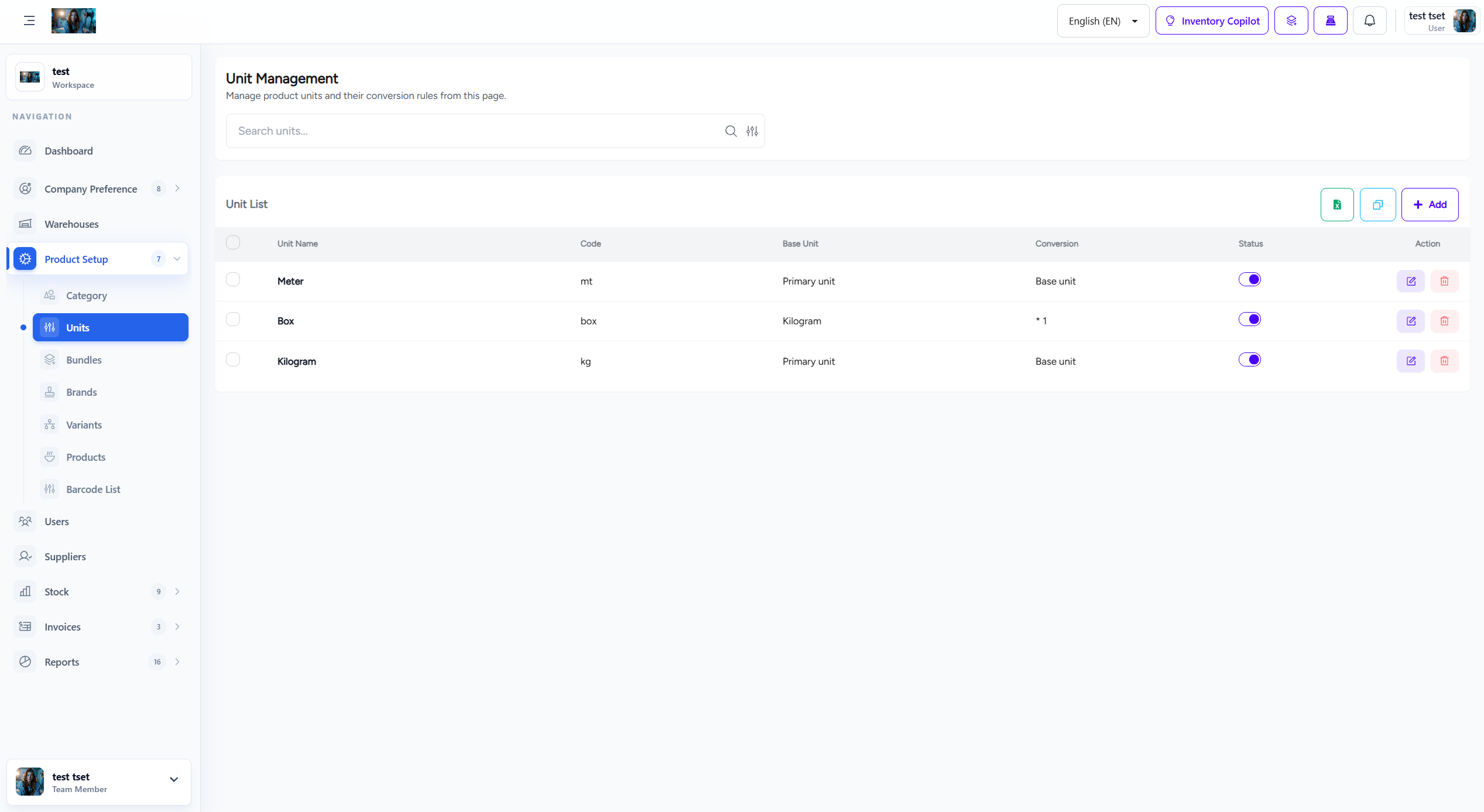
Unit management screen