Product Setup Module
Category Management
Complete documentation for category setup, hierarchy, API endpoints, validation rules, and UI behavior.
Overview
Category Management is used to organize products into parent-child groups. Each category can have a title, optional image, parent category, and active/inactive status.
Backend Structure
routes/api.php- Category route declarationsapp/Http/Controllers/Api/CategoryController.php- Request handling and service delegationapp/Services/Api/CategoryService.php- Business logic (list/create/update/delete/status)app/Http/Requests/Api/Category/*- Validation rulesapp/Models/Category.php- Model + parent/children/product relationships
API Endpoints
| Method | Endpoint | Purpose |
|---|---|---|
| GET | /api/v1/categories | List categories with pagination, filters, and parent relation |
| POST | /api/v1/category/store | Create category |
| ANY | /api/v1/category/update/{id} | Update category |
| ANY | /api/v1/category/update-status/{id} | Update single category status |
| POST | /api/v1/category/status-update/multiple | Bulk status update |
| DELETE | /api/v1/category/delete/{id} | Delete single category |
| DELETE | /api/v1/category/multiple-delete | Delete multiple categories |
Request Rules
Create and Update
title: required, max 255, unique per companyimage: optional image file (png, jpg, jpeg, gif, webp)status: optional (converted to 1/0 internally)parentId: optional existing category id
Status Update
status: required, allowed values0or1
Bulk Status Update
ids: required array, every id must exist incategoriesstatus: required, allowed values0or1
Bulk Delete
ids: required for bulk delete, must be an array of existing category ids
Filtering and List Response
GET /api/v1/categories supports these query params:
page,perPagesearch(title search)statusfilterParentCategorysortField,sortOrder
Response includes data, meta, and others_data (all categories + parent-only categories).
Frontend
Main UI component: frontend-source/src/pages/product-setup/category/Category.jsx
- Search and advanced filtering
- Parent category selection
- Status toggle and bulk operations
- Create/edit modal with image upload
- Role-based action controls
Screenshots
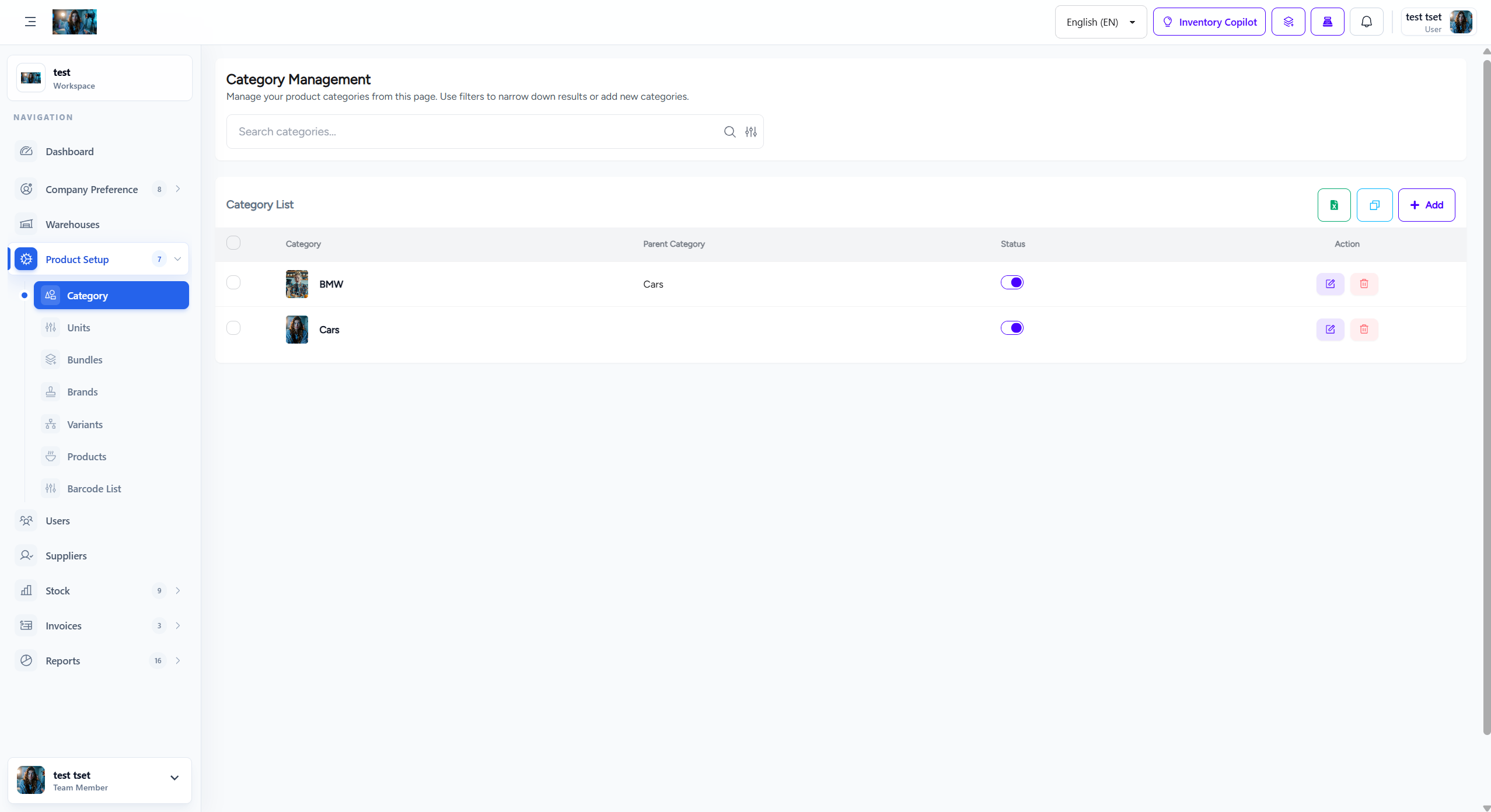
Category create form
Troubleshooting
| Issue | Likely Cause | Fix |
|---|---|---|
| Cannot create category | Duplicate title in same company | Use a unique title |
| Image not saved | Invalid format | Upload png/jpg/jpeg/gif/webp |
| Bulk status update fails | Invalid category id in ids | Send existing ids only |
| Parent category not available | Invalid parentId or access scope mismatch | Pick a valid category from same company scope |