Product Setup Module
Brand Management
Brand Management lets you create, update, activate/deactivate, and remove product brands used across product setup and product forms.
How It Works
- User opens the Brands page and gets a paginated list with search, sort, and status filter.
- User can add a new brand with title, optional image, and status.
- On edit, title/status/image can be changed. If image is replaced, old image is removed.
- Single or bulk status changes can set brands Active/Inactive.
- Single or bulk delete removes brands and related stored brand images.
Backend Files
app/Http/Controllers/Api/BrandController.phpapp/Services/Api/BrandService.phpapp/Http/Requests/Api/Brand/*frontend-source/src/pages/product-setup/brand/Brands.jsx
API Endpoints
| Method | Endpoint | Purpose |
|---|---|---|
| GET | /api/v1/brands | List brands with pagination/filtering |
| POST | /api/v1/brand/store | Create a brand |
| ANY | /api/v1/brand/update/{id} | Update brand |
| ANY | /api/v1/brand/update-status/{id} | Update single status |
| POST | /api/v1/brand/status-update/multiple | Bulk status update |
| DELETE | /api/v1/brand/delete/{id} | Delete single brand |
| DELETE | /api/v1/brand/multiple-delete | Delete multiple brands |
Validation and Rules
title: required, max 255, unique (company scoped)image: optional image (png, jpg, jpeg, gif, webp)status: optional; normalized to1or0ids(bulk): required array for bulk delete/status actions
Response Pattern
All operations follow a standard response shape with status, message, and optional data/meta/errors.
Integration Notes
- Brands appear in Product create/edit forms as selectable options.
- Brand data is used in product list filtering and reporting output.
- Permission keys in UI include:
brand.create,brand.edit,brand.delete.
Troubleshooting
| Issue | Cause | Fix |
|---|---|---|
| Brand create/update fails | Duplicate title in same company | Use a unique brand title |
| Image upload rejected | Unsupported image format | Upload png/jpg/jpeg/gif/webp only |
| Bulk update/delete fails | Invalid brand id in request list | Send only existing brand IDs |
Screenshots
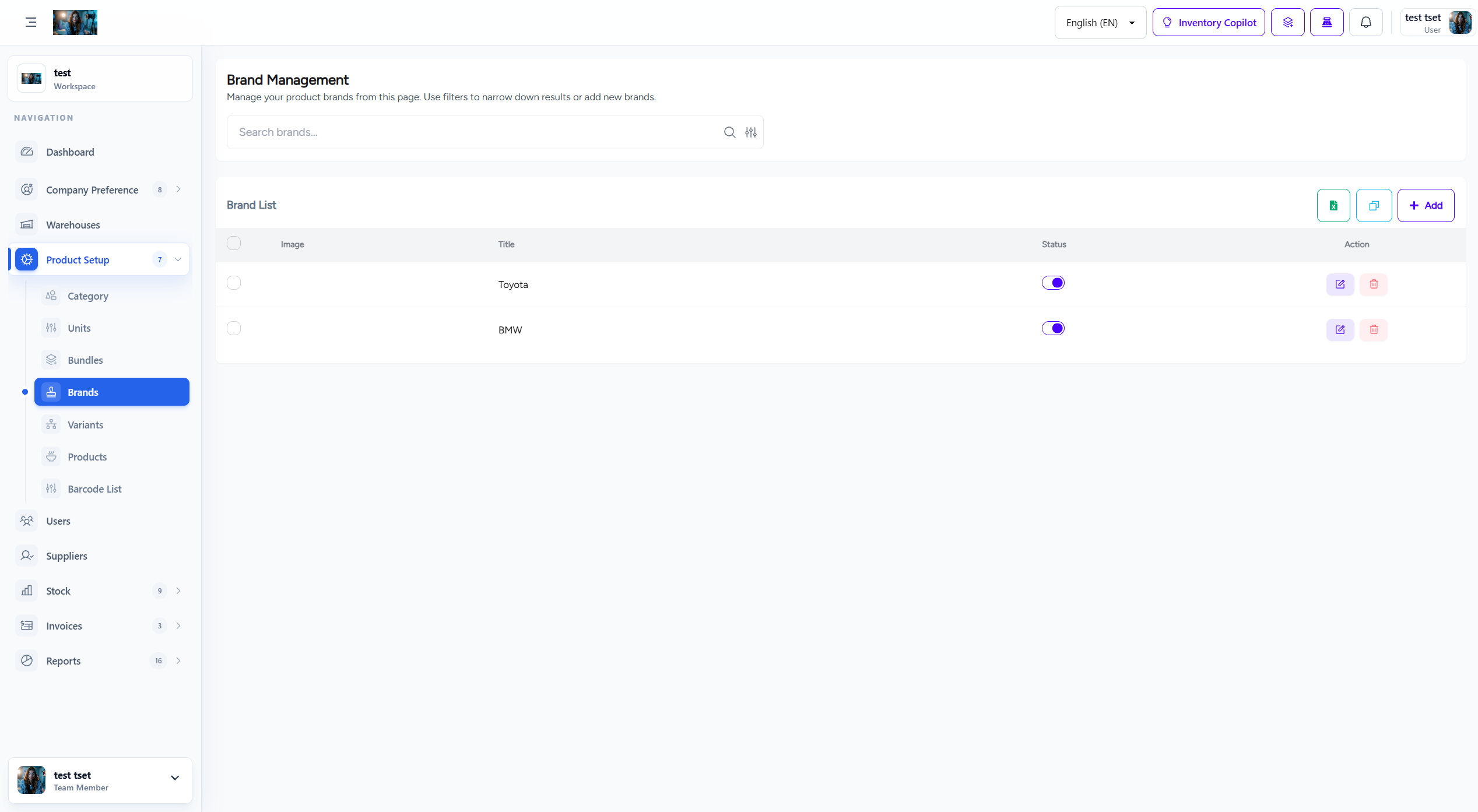
Brand management screen