Inventory Module
Product Setup
User-friendly guide for daily operations, with a short technical reference for admins and developers.
What Is Product Setup?
Product Setup is the master data area of your inventory system. Before selling, purchasing, or stock transfer, you should configure this section properly.
It includes:
- Category: Product groups for search and reports.
- Units: Measurement types like Piece, Box, KG.
- Brands: Brand names used in product profiles.
- Variants: Options like Color, Size, RAM.
- Bundles: Multiple products sold together.
- Products: Main product records used across stock/invoice.
- Barcode List: Saved barcode entries for printing/use.
Recommended Setup Order (Important)
- Create Categories.
- Create Units.
- Create Brands.
- Create Variants (if needed).
- Create Products.
- Create Bundles (optional, after products exist).
- Check Barcode List and print labels if needed.
How Non-Technical Users Should Use It
1. Category
- Use clear names (example: Accessories, Mobile, Grocery).
- Avoid duplicate category names.
- Keep inactive instead of deleting if old products use it.
2. Units
- Create base units first (Piece, KG, Liter).
- If using conversion, verify operator and value carefully.
- Do not delete units already linked to products.
3. Brands
- Add only real business brands.
- Upload clean square logos if available.
- Use active/inactive instead of frequent delete.
4. Variants
- Create variant names with meaningful attributes.
- Example: Color (Black, White), Size (M, L, XL).
- Keep naming format consistent across products.
5. Products
- Every product should have Name, SKU, Category, Brand, Unit.
- Use unique SKU policy to avoid invoice confusion.
- Add image and description for faster counter operations.
6. Bundles
- Create bundles only after individual product prices are correct.
- Check component stock before activating bundle.
- Use clear bundle names (example: Starter Kit, Combo Offer).
Daily Operation Checklist
- Search and review recently added products.
- Fix missing category/brand/unit mappings.
- Deactivate duplicate or wrong entries.
- Export a backup list weekly (CSV/Excel).
Common User Mistakes and Fix
| Problem | Reason | Fix |
|---|---|---|
| Product not showing in invoice | Product inactive or wrong setup | Set product Active and verify category/unit/price. |
| Cannot delete unit/category | Already used by products | Keep inactive or reassign products first. |
| Duplicate product confusion | No SKU policy | Use one SKU format and enforce uniqueness. |
| Bundle amount mismatch | Component price/discount not verified | Recheck component prices and discount type. |
Quick Links for Detailed Pages
- Category Management
- Units
- Brand Management
- Variant Management
- Bundle Management
- Product Management
- Stock Management
Technical Reference (Short)
- Frontend:
frontend-source/src/pages/product-setup/ - Backend Controllers:
app/Http/Controllers/Api/*Controller.php - Services:
app/Services/Api/ - API Routes:
routes/api.phpunder product setup routes. - Core tables:
categories,units,brands,product,product_variants,product_bundles,product_barcode_store.
Screenshots
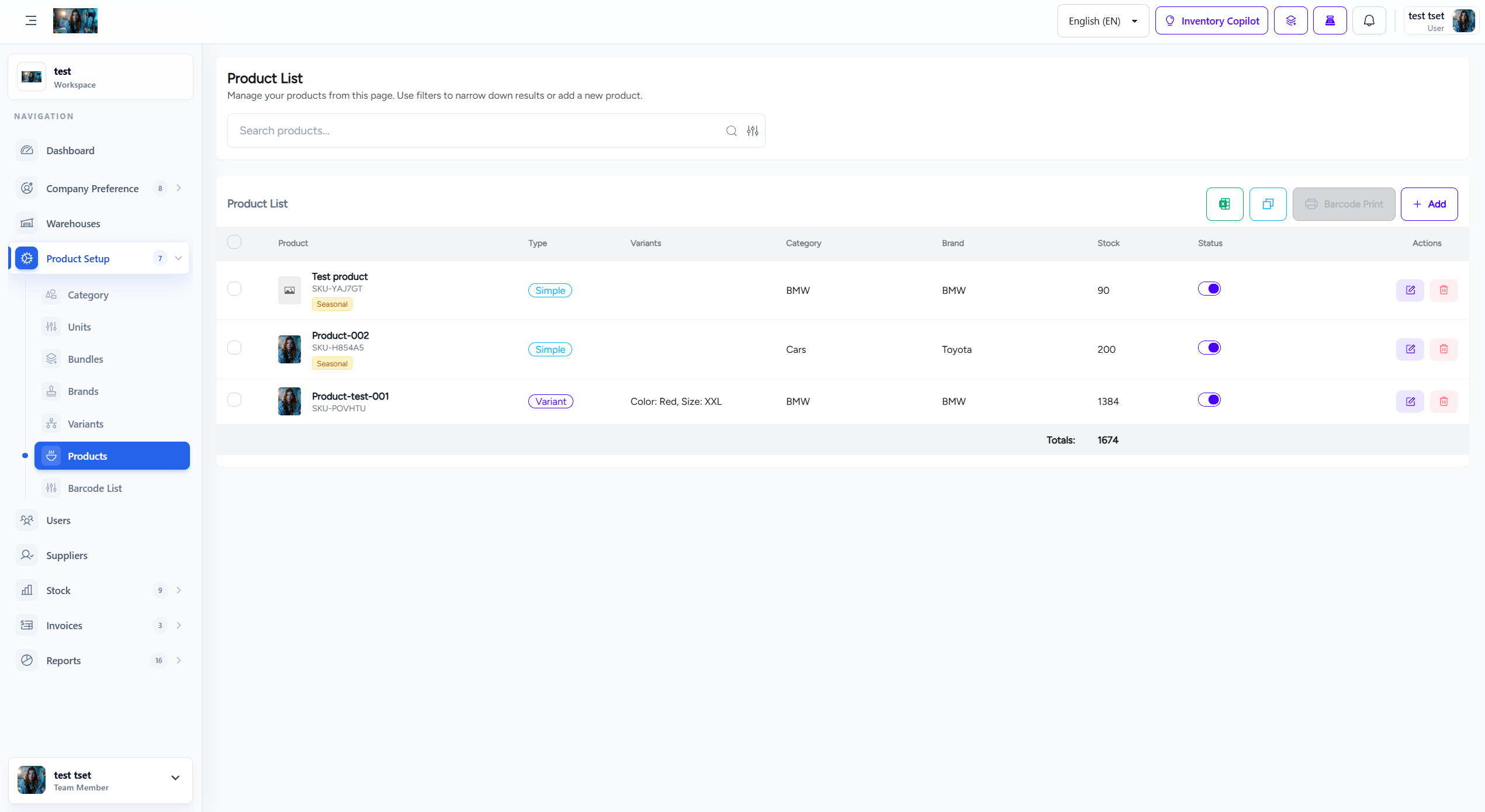
Product setup overview screen