v1.0.0 Stable
Company Preference - Rewards
Rewards preferences allow you to configure customer loyalty programs, point systems, and reward redemption rules.
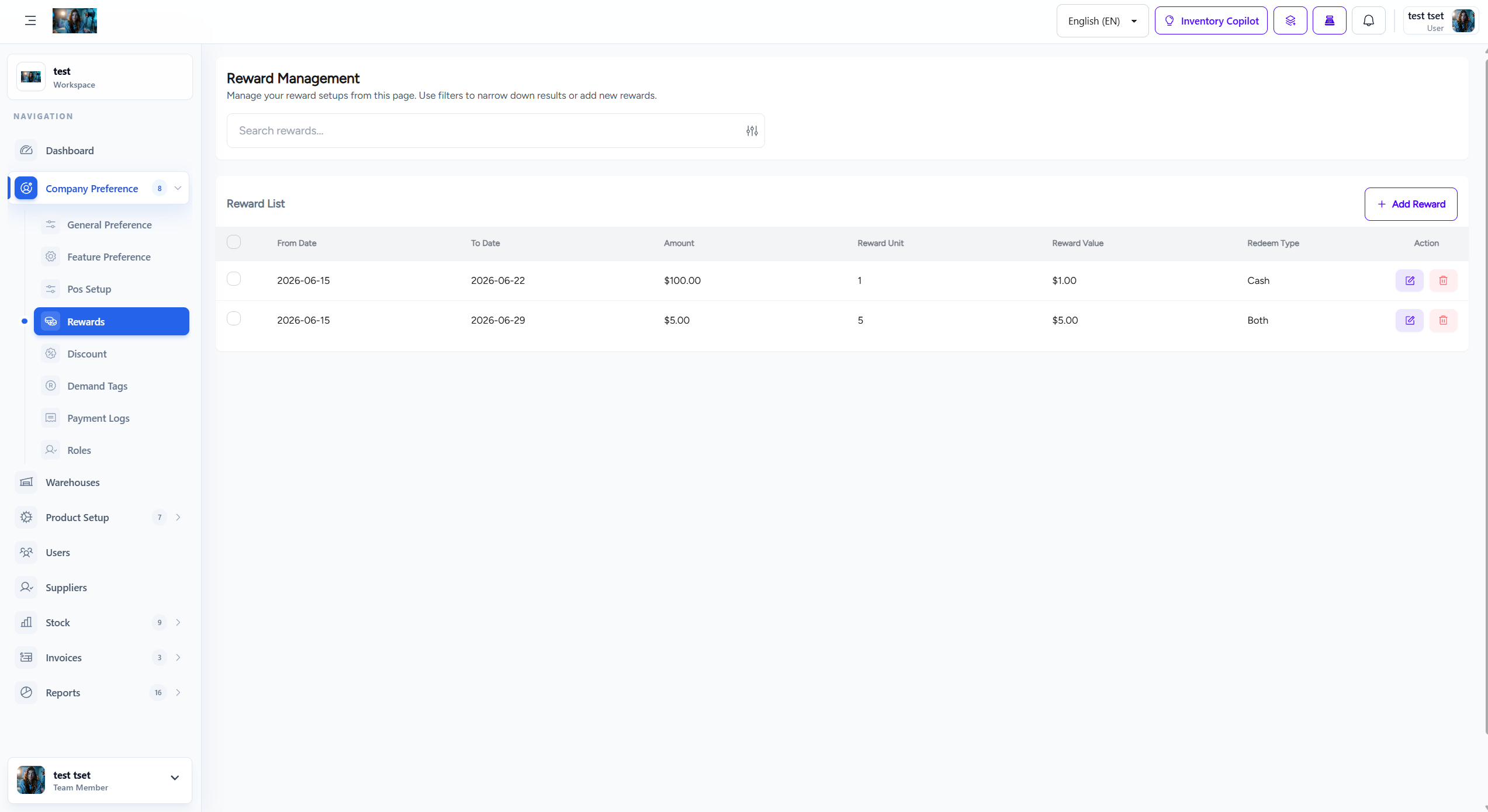
Figure 1.0: The Rewards settings interface.
1. Overview
Rewards system enables customer loyalty programs where customers earn points on purchases and can redeem them for discounts or free products.
- Point System: Configure how customers earn points on purchases.
- Point Value: Set the monetary value of reward points.
- Redemption Rules: Define how and when points can be redeemed.
- Tier Levels: Create customer tiers with different reward multipliers.
2. Point Configuration
Configure how points are earned and valued:
- Points per Currency Unit: How many points earned per unit of currency spent (e.g., 1 point per $1).
- Point Value: Monetary value of each point during redemption (e.g., 100 points = $1).
- Minimum Purchase: Minimum purchase amount to earn points.
- Point Expiry: Set expiration period for earned points (e.g., 365 days).
3. Redemption Settings
Configure how customers can redeem their points:
- Minimum Points to Redeem: Minimum points required for redemption.
- Maximum Redemption Percentage: Maximum percentage of order value that can be paid with points.
- Redemption on Sale Items: Allow point redemption on discounted items.
- Combine with Discounts: Allow point redemption with other discounts.
4. Customer Tiers
Create customer tiers with different benefits:
| Tier | Points Required | Point Multiplier |
|---|---|---|
| Bronze | 0 - 999 points | 1x |
| Silver | 1,000 - 4,999 points | 1.5x |
| Gold | 5,000+ points | 2x |
5. How to Configure Rewards
Follow these steps to configure rewards preferences:
- Navigate to Company Preference > Rewards from the sidebar menu.
- Set up point earning rules (points per currency unit).
- Configure point value for redemption.
- Set redemption limits and restrictions.
- Create customer tiers with different multipliers.
- Click Save Settings to apply all changes.
Important Note: Changes to reward settings affect all customer accounts immediately. Communicate any changes to customers before implementation.
6. Best Practices
Follow these best practices for rewards configuration:
- Clear Communication: Clearly communicate reward rules to customers.
- Achievable Goals: Set achievable point thresholds to encourage participation.
- Regular Review: Review reward program effectiveness quarterly.
- Fair Value: Ensure point values provide meaningful benefits to customers.